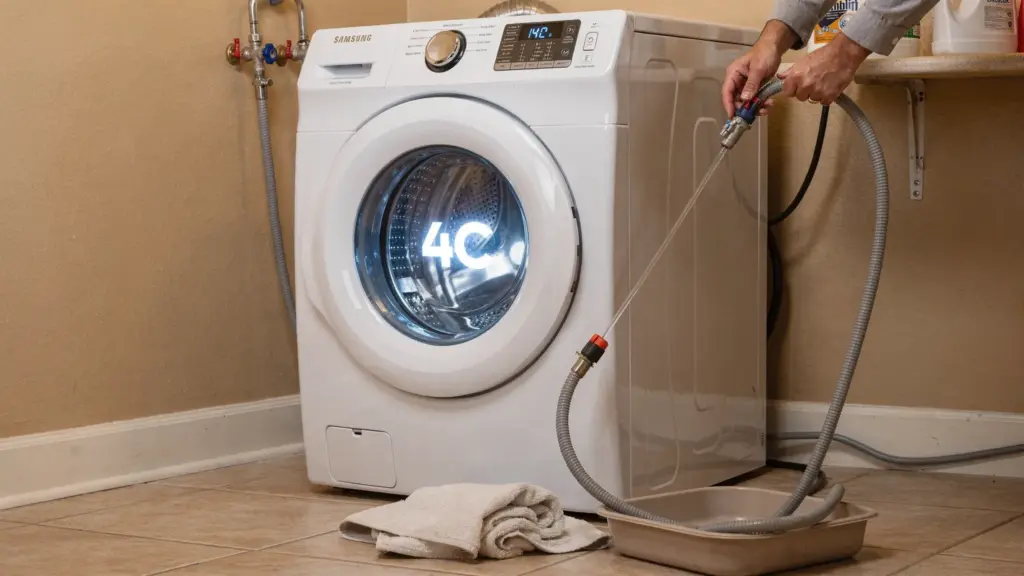
A Samsung washer that suddenly stops and flashes 4C can feel like an emergency, especially when the tub is empty and a load is waiting. The good news is that the Samsung washer 4C error is usually a straightforward water inlet (water supply) problem, not a major mechanical failure.
Below is a practical, Phoenix homeowner friendly troubleshooting guide you can use to restore water flow, prevent repeat errors (common with hard water and sediment), and know when it is time to call for service.
What does 4C mean on a Samsung washing machine?
On most Samsung washers, the 4C error code means the washer is not filling with water correctly. In plain terms, the machine expected water to enter the tub within a certain time, but it detected little or no fill.
You may also see:
- 4E on some older Samsung models (similar meaning, water supply issue).
- 4C2 on some models (often related to water temperature being out of range, which is a different troubleshooting path).
If your washer fills very slowly, fills intermittently, or does not fill at all, the 4C code is the washer’s way of protecting itself and stopping the cycle.
For model specific guidance, Samsung also maintains support resources for error codes. Start here if you want the official wording for your exact unit: Samsung Support.
Safety first (before you touch hoses or filters)
Any time you work around a washer’s water connections:
- Turn the washer OFF and unplug it.
- Turn both water supply valves (hot and cold) OFF at the wall.
- Keep a towel and a shallow pan nearby, hoses can release water even when “off.”
5-minute quick checks that fix a lot of 4C errors
Before you disassemble anything, these fast checks solve many water inlet complaints.
1) Confirm both water valves are fully open
Samsung washers often expect both hot and cold supplies to be on (even if you typically wash cold). Make sure the valves behind the washer are turned all the way open.
If you recently had plumbing work done, a valve can be only half opened, or a shutoff can fail internally.
2) Check for a kinked, pinched, or crushed inlet hose
Pull the washer forward carefully and inspect the hoses.
Look for:
- A sharp bend right where the hose meets the wall valve
- A hose crushed behind the washer
- Bulging or cracking (replace the hose if you see this)
3) Make sure your home actually has good water pressure
If your shower and sinks are also weak right now, your washer may not be the real problem.
Typical residential water pressure is often discussed in the 40 to 80 psi range, and many home inspectors flag pressure outside that band. (Source: InterNACHI guidance on water pressure.)
In Phoenix, pressure issues can show up after:
- A pressure reducing valve (PRV) starts failing
- Sediment partially blocks a valve or supply line
- Irrigation or other high demand water use runs during wash cycles
If only the washer is affected, move to the filter and valve checks below.
The most common cause in Phoenix: clogged inlet screens from sediment and hard water
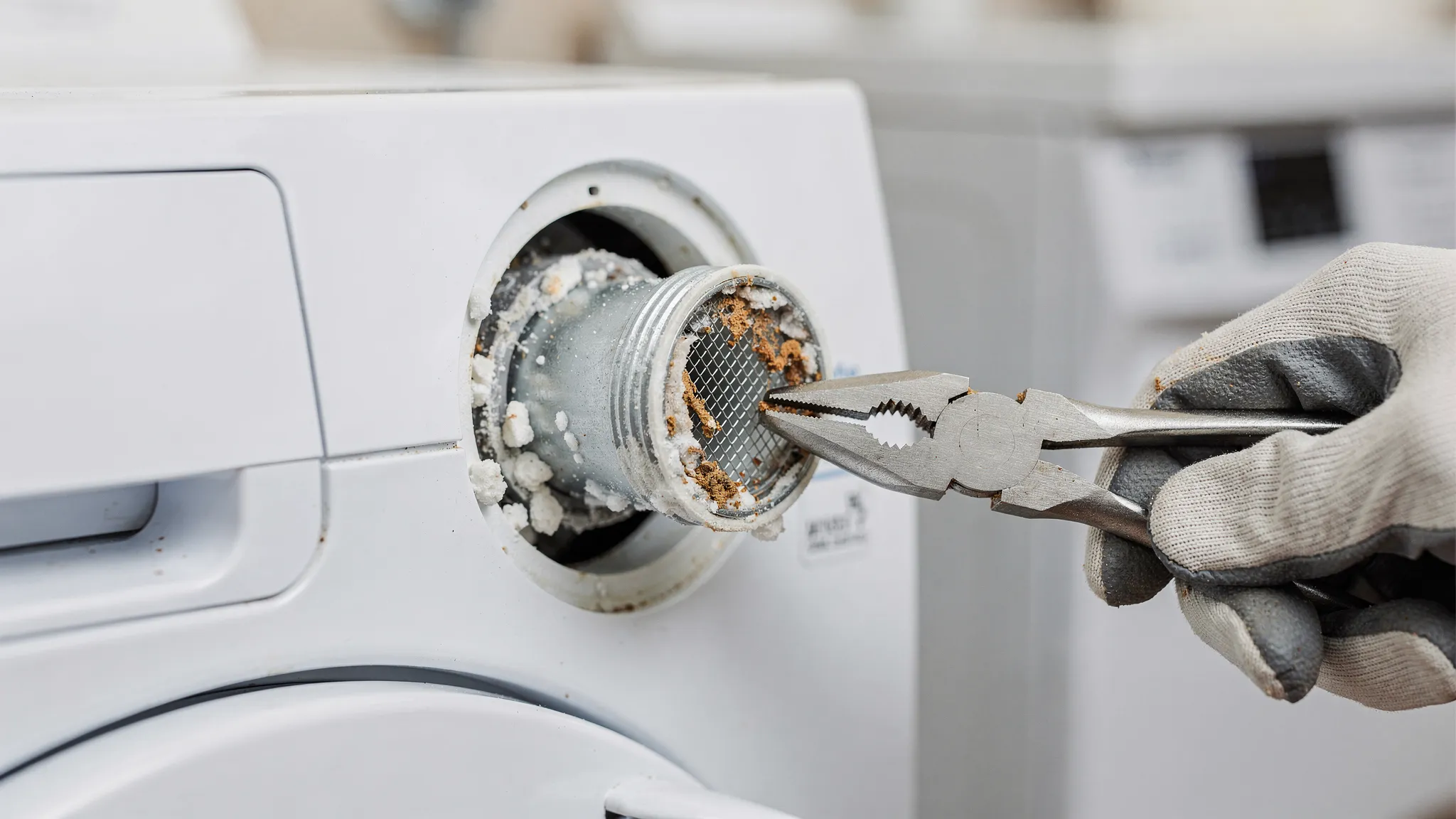
In many homes around Phoenix and nearby areas, minerals and sediment can build up faster than homeowners expect. Even a small amount of debris can clog the tiny mesh screens where the fill hoses connect to the washer.
Step-by-step: clean the Samsung washer inlet filter screens
- Unplug the washer.
- Turn OFF both water valves.
- Unscrew the hot and cold fill hoses from the back of the washer.
- Look inside the washer’s water inlet ports. You will usually see small mesh screens.
- Gently remove the screens (if removable on your model) with needle-nose pliers.
- Rinse and scrub the screens with an old toothbrush under running water.
- If mineral scale is heavy, soak the screens briefly in white vinegar, then rinse well.
- Reinstall screens, reconnect hoses (hand-tight plus a small additional snug turn), turn water back on, and check for leaks.
If the screens are not removable on your model, you can still flush debris by briefly running water into a bucket from the wall valves (with hoses disconnected), but do this carefully to avoid splashing.
Also check the hose washers and screens
Some hoses include their own little screens or washers at the ends. If those are clogged or degraded, replace them.
Make sure the hoses are connected correctly (hot to hot, cold to cold)
It sounds basic, but swapped hoses can trigger weird fill behavior, and temperature-related errors can appear depending on cycle settings.
- Hot hose typically connects to the red marked inlet.
- Cold hose typically connects to the blue marked inlet.
If you recently moved the washer, replaced hoses, or had a leak, verify the connections.
Rule out a “no-fill” that is really a draining problem (siphoning)
Sometimes the washer is filling, but water is leaving as fast as it comes in.
Look for these siphoning signs:
- You hear water entering, but the tub never gains water level.
- The standpipe or drain seems to gulp water continuously.
Quick checks:
- Ensure the drain hose is not shoved too far down the standpipe.
- Ensure there is an air gap around the hose so it cannot form a tight seal.
- Confirm the standpipe height and installation matches your Samsung model’s installation instructions.
If you are unsure, check the installation section of your user manual for your exact model.
If cleaning screens did not work: test for a bad water inlet valve
If water pressure is good, valves are open, hoses are fine, and screens are clean, the next likely culprit is the water inlet valve assembly (the electrically controlled valves inside the washer that open to let water in).
Common symptoms of a failing inlet valve:
- Intermittent 4C errors (works sometimes, fails sometimes)
- A faint humming sound during fill with little water entering
- Slow fill even after screens are cleaned
DIY reality check
Replacing an inlet valve is often doable for experienced DIYers, but it requires:
- Removing panels
- Managing wire connectors properly
- Avoiding leaks after reassembly
If you are not comfortable with electrical parts and water connections, this is a good point to stop and call a technician.
Don’t overlook the simple stuff: frozen valves are rare in Phoenix, but stuck valves are not
Unlike colder climates, Phoenix homes rarely deal with frozen supply lines. However, shutoff valves can stick, corrode, or fail internally.
Try this:
- Turn the valve OFF, then ON again fully.
- With the hose disconnected (aimed into a bucket), briefly open the valve to confirm strong flow.
If flow is weak directly from the wall valve, the washer is not the issue.
Less common causes: pressure sensor, wiring, or control board
If the washer is definitely getting water, but still throws 4C, a few less common issues may be involved:
- Water level (pressure) sensor problems (washer “thinks” it is not filling)
- Wiring harness damage or loose connectors
- Main control board faults
These are usually professional diagnosis situations because confirming them often requires disassembly and electrical testing.
Troubleshooting map: symptoms to likely causes
Use this table to narrow down the most probable fix without guessing.
| What you observe | Most likely cause | What to do first | DIY difficulty |
|---|---|---|---|
| No water enters at all | Closed wall valve, kinked hose, clogged inlet screen | Open valves, straighten hoses, clean screens | Easy |
| Water enters very slowly | Clogged screen, low water pressure, failing inlet valve | Clean screens, verify pressure at wall | Easy to moderate |
| Works on some cycles but not others | Intermittent inlet valve, temperature related settings, partial blockage | Clean screens, confirm hose connections, consider valve | Moderate |
| You hear water but tub never fills | Drain siphoning/installation issue | Check drain hose placement and air gap | Easy |
| 4C returns immediately after cleaning | Inlet valve, sensor/control issue | Verify strong wall flow, then schedule diagnosis | Moderate to pro |
Preventing future 4C errors (especially in Phoenix)
Once you clear the error, a little prevention helps keep it from coming back.
Clean inlet screens periodically
If your home has hard water or you have seen sediment in faucet aerators, schedule a quick inlet screen cleaning every few months.
Replace old fill hoses proactively
If your hoses are older, stiff, or bulging, replace them. Consider braided stainless hoses for durability.
Avoid running the washer during peak water demand
If irrigation, showers, and dishwashers all run at once, pressure can dip enough to slow washer filling in some homes.
When to call a washer repair pro
Call for service if:
- You verified strong water flow at the wall valve, but the washer still will not fill.
- The washer leaks after hose or filter work.
- You suspect an inlet valve, wiring, sensor, or control board issue.
- The 4C error keeps returning and you want a definitive diagnosis.
If you want a general idea of how appliance service pricing is typically structured (service call, labor, parts), you can also review this guide and then request a local quote in Phoenix: How much should washer repair cost?
Frequently Asked Questions
What does 4C mean on a Samsung washing machine? It usually means a water supply (water inlet) error. The washer is not detecting enough water entering during the fill portion of the cycle.
Is Samsung washer 4C the same as 4E? Often, yes. Many older Samsung models used 4E for a water inlet issue, while many newer models display 4C.
Can a clogged filter really cause the 4C error? Yes. The inlet mesh screens are small and can clog with sediment or mineral buildup, which is common in hard-water areas.
Why does my Samsung washer get a 4C error intermittently? Intermittent 4C errors are commonly caused by partial clogs, inconsistent water pressure, or a water inlet valve that is starting to fail.
Should both hot and cold water lines be connected for a Samsung washer? Many Samsung washers are designed to have both supplies connected and turned on, even if you wash mostly in cold. Check your model’s manual to be sure.
Need help diagnosing a recurring 4C error in Phoenix?
If you have already cleaned the inlet screens, confirmed strong flow from the wall valves, and the Samsung washer 4C error still returns, it may be time for a professional inspection (especially if an inlet valve or electrical component is involved).
Find more Phoenix-focused appliance repair tips and request local help at PHX Appliance Fix Blog.